Skip to content
    UW Crest
    CALS WordPress Hosting

    University of Wisconsin Madison

    • Support Docs
      • Requesting a Site
      • Planning Your Site
      • Creating Accessible Content
      • Changelog
      • 2015 Theme Docs
    • Contact Us
      • Web Support
      • New Website Request
    • Login
    • CALS Main
    UNIVERSITY of WISCONSIN-MADISON UW-MADISON
    • Login
    • CALS Main

    Dark Mode On

    Your device is set to dark mode so this site is matching that preference. You can click the moon icon to change your site experience.

    • Getting Started
      • Requesting a Site
      • Planning Your Site
      • Setting up Your Site
      • Adding Content to Your Site
      • Creating Accessible Content
      • Web Hosting Guidelines
    • Tutorials
      • Basic Tutorials
        • Theme Customization Options
        • Logging In
        • Adding/Removing Users
        • Editing Your Site Menu
        • Google Analytics
        • Jump Links
      • Advanced Tutorials
        • Improving Site SEO
        • Using Animation
        • E-Commerce & Shopping Cart Options
        • Embed a Google Calendar
      • CALSv4 Migration
        • Getting Started
        • Migrating Content
    • Blocks
      • CALS Blocks
        • Accordion
        • Tabs
        • Card
        • Carousel
        • Modal
        • Posts
        • UW Today Events
      • Core WordPress Blocks
    • Plugins
      • Plugin Guidelines
      • Resource Directory
      • CALS People Directory
      • Protect Pages With NetID
      • Redirection Plugin
      • Broken Link Checker
    • 2015 Theme Docs
    CALSv4 Migration

    CALSv4 Migration – Getting Started

    Our CALSv4 theme offers significant performance, accessibility, and usability improvements over our 2015 (v3) theme. Follow this guide for steps on completing your site migration.

      Do I need to migrate my site?

      If your site uses our old 2015 (v3) theme with the ACE editor, you will eventually need to migrate your content. CALS Web Services will reach out when it is time for you to migrate. If you are interested in migrating as soon as possible, take a look at the features and documentation available for our new theme, and contact us when you are ready to migrate.
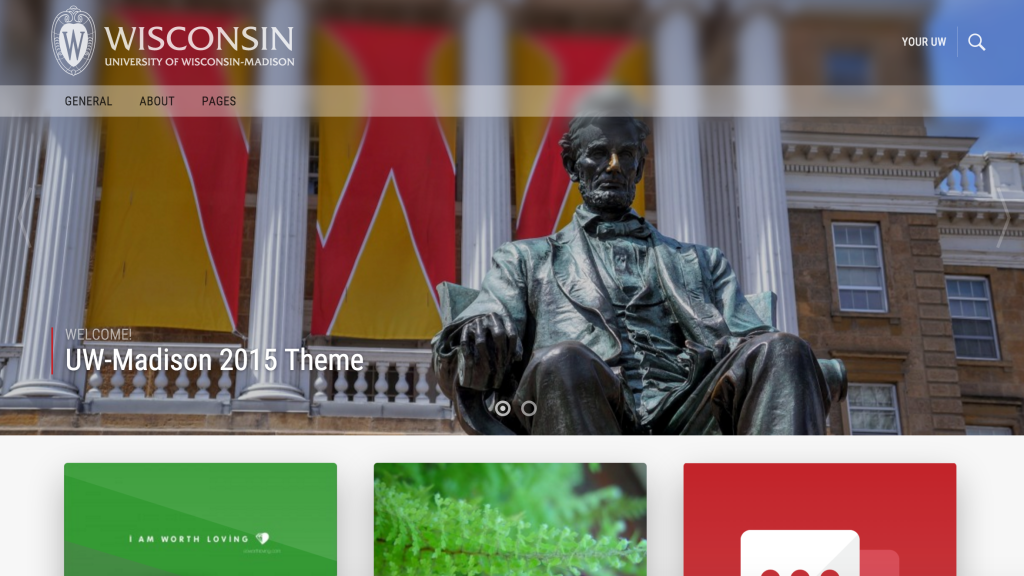
      Screenshot of CALS 2015 theme
      ⛔️ CALS 2015 Theme (Old)
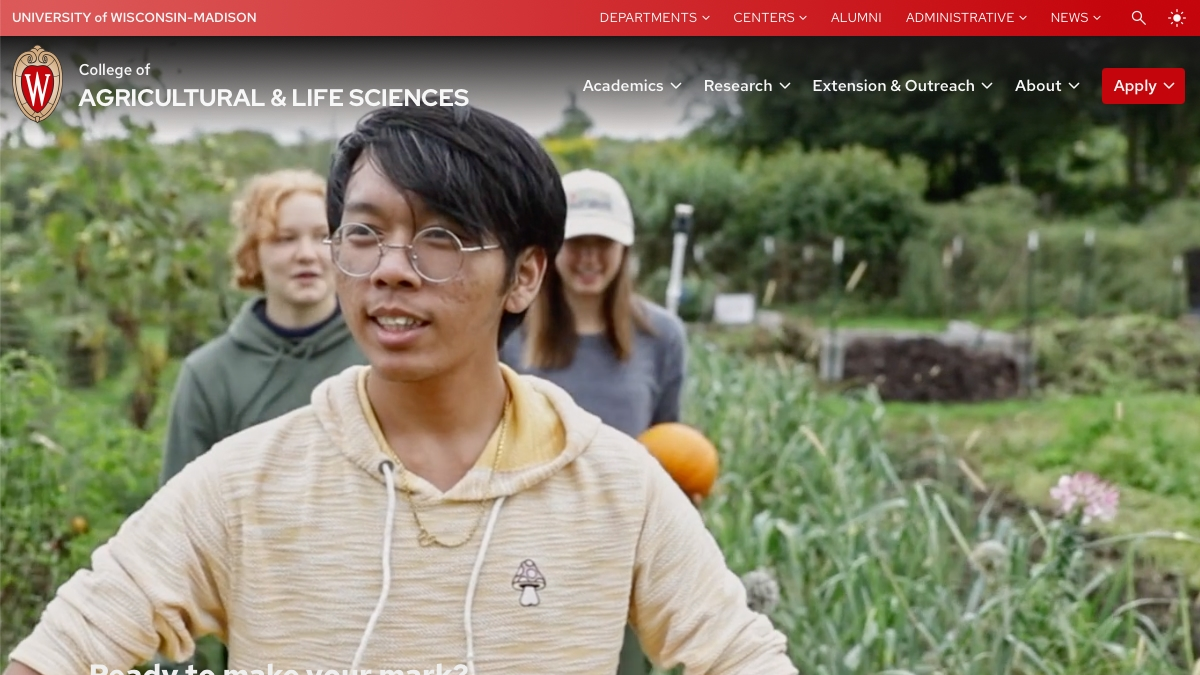
      Screenshot of new CALSv4 theme
      ✅ CALSv4 Theme (New)

      Preparing for Migration

      Clean up your user list

      Take a look through your user list by visiting Users > All Users from the admin panel of your site. Make sure everyone nobody has access to your site who should not, such as previous students who have since graduated or old staff members.

      Clean up media libary

      Visit your media library by visiting Media from the admin panel of your site. If there are photos you know are not on a page, you can delete them. Unfortunately, the Media interface in WordPress leaves a lot to be desired. It will not be able to accurately indicate whether an image is actually used on a page. You should also take a look at the list view (by clicking the icon in the top left) to see which images are missing alt text. If an image is missing alt text within the media library, it doesn’t necessarily mean it is missing alt text on the page, as these are controlled independently. However, setting alt text from the media library (and in the uploader whenever you add a new image) is a great habit since the alt text will then be automatically used when the image is added to any page.

      Not sure how or when to use alt text? Here’s some guidelines to follow

      Learn how to use the block editor

      Make sure you’re prepared to use the block editor interface by reviewing our resources and training videos. We’re also available for one-on-one training sessions.

      Learn how to make your content accessible

      Make sure you’re familiar with our content accessibility guidelines and recommendations so you can check pages for accessibility as you migrate content over to the block editor.

      Ready to get started?

      Contact Us

      All Support Docs
      CALS logo
      Privacy Notice  | © 2026 Board of Regents of the University of Wisconsin System
      Feedback, questions or accessibility issues: websupport@cals.wisc.edu
      Login Request Help Help Docs